Run your website from your phone
The dashboard at suddn.co/dashboard is where you edit your website, change its design, read messages, see stats and make QR codes, on a phone or a computer. Every change is live the moment you save it.
What's in it
Home: a setup guide that shows your progress (then “Add more details” for everything the quick setup skipped, like photos, your story and social links), this week's visits and new messages, your newest messages and a live preview of your website.
Website: all your content, from items and prices to photos, FAQ and contact details. Design: your theme, palette or own colour, which sections show, and features like the Message button and the quote form.
Inbox: quote requests, enquiries and contact form messages, with search, filters and a CSV export. Customers: everyone who wrote to you, with their messages and your private notes. Analytics: your visits (and on Pro, Call and Directions taps and messages). Marketing: QR codes to print and files to download. Settings: your login and password, your plan, your address, unpublishing and deleting.
Made for a phone
On a phone, the screens you use most sit in a tab bar at the bottom (Home, Inbox, Website, Analytics), with the rest under More. On a computer they're in a sidebar.
You log in with Google, your email and password, or a login link we email you. If your phone closes the tab before you save, your unsaved changes are kept in that browser and offered back when you return.
Live when you save
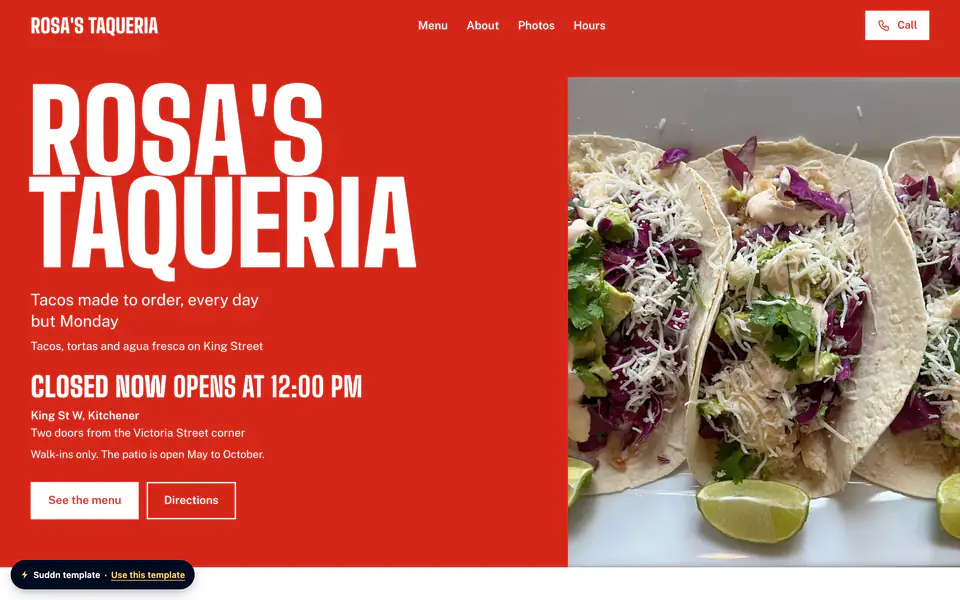
After your first publish there's no Publish button: every save is on your website straight away. The preview in Edit website shows what visitors will see, in your theme and colours, before you save.
Need a break? Unpublish in Settings and visitors see “Website coming soon” until you publish again. Nothing is deleted.
Analytics on Free shows your visits for the last 7 days, with your busiest day. Pro adds Call taps, Directions taps and messages, for 7 or 30 days.
The Team section
On Pro, your website can introduce the people behind the business: a first name and a short line for each person's role (“Owner, senior barber”), with a photo if you like. Add up to 12 people and put them in the order you want.
The Team section is for salons and barbers, contractors, professional services, auto shops and other businesses. It's off until you switch it on in Design, and if your business name has “barber” in it, the section is called “The barbers”. Your team gets its own place in your website's navigation. On a Free website the section is hidden, not deleted.
What it doesn't do
One website per account for now. Running several websites, handing them to clients and team logins are part of Agency, and they're coming soon.
You don't drag things around on the website itself. You fill in the form, and your theme lays it out so it looks right on every phone.
Questions
Can I edit my website from my phone?
Yes. Every screen works on a phone, with the ones you use most in a tab bar at the bottom.
Do I need to press Publish after every change?
No. After your first publish, each save is live straight away. To take your website offline, unpublish it in Settings.
What stats do I get on the Free plan?
Visits for the last 7 days, with your busiest day. Pro adds Call taps, Directions taps and messages, for up to 30 days.
Can I change my website address?
Yes, once every 30 days, in Settings. The old address forwards to the new one, so printed QR codes keep working.
Can I show my team on the Free plan?
No. The Team section is part of Pro, which is available at launch. On Free, the About section can still introduce you as the owner.
Your website, live in under a minute.
Free to start. No account needed until you publish.
Build my website free